
Inside Recovrr
Take a Tour of Recovrr
Recovrr is a private iPhone and iPad app that helps members of Narcotics Anonymous find meetings and connect with other members. This tour shows the app without requiring a Recovrr account.
This is a product walkthrough. If you already use Recovrr, see the Recovrr App Instructions.
Screenshots follow your device’s Light or Dark appearance. Nearby Discovery examples show iPhone screens, including when iPad is selected.
Why Recovrr exists
Why Recovrr exists
Recovrr began with a practical problem. An NA member who traveled for business often arrived in places where he knew no one.
He wanted to find an NA meeting and other NA members.
Recovrr was built to help NA members find in-person Narcotics Anonymous meetings where they are or where they are going, and to connect with other NA members.
The app links meeting information with member connections.
Recovrr is specifically an NA app. It is not a general meeting finder for multiple recovery organizations.
A signed-in application
Most features require sign-in
Almost all of Recovrr is available only after you sign in.
While logged out, you can sign in, request an account, recover access, and read about Recovrr. Meeting, Profile, Network, and notification features require sign-in.
New account requests are reviewed before access is approved.
Once an account is approved, normal sign-in is straightforward.
Before we go inside
Who can see each type of information
What you share depends on who is looking: the public, another signed-in Recovrr member, or one of your connections.
A Profile helps other members recognize you. Some additional information is available only to connections.
| Audience | What is shared |
|---|---|
| The world | No member directory or member Profiles are published on the open Internet. |
| Signed-in Recovrr members | Profile information you choose to share, such as display name, avatar, tagline, and clean date. Location-based discovery is optional; precise personal location is never shown. |
| Connections | Everything above, plus chosen meeting attendance, an optional phone number, and clean-date anniversary notifications. |
Email addresses remain private. Even a connection cannot see your account email address. Recovrr can relay email without exposing it.
Why have a Profile?
Your Profile helps other members recognize you. You choose what to include.
Why connect?
Connections require approval. They can see chosen meeting attendance, receive clean-date anniversary notifications, and optionally see a phone number you provide.
Clean dates illustrate the distinction. A clean date in your Profile is visible to signed-in members; anniversary notifications go only to your connections.
01 · Welcome
A private community
Accounts are requested and manually reviewed before access is granted.
First sign-in
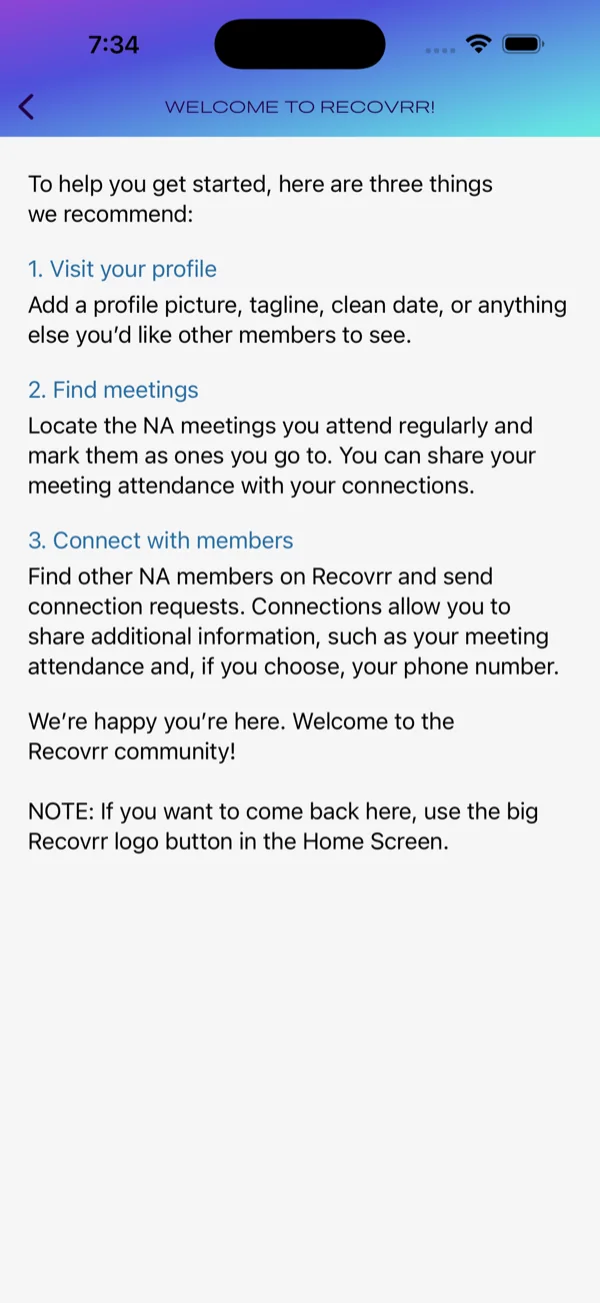
Three things to get started
The Welcome screen introduces three core ideas: create a Profile, find NA meetings, and connect with other members.
The main areas are Home, Map, Network, Notifications, and your Profile.
Why the account gate matters. Recovrr is a private NA member community, not a public social network. New account requests are reviewed before access is approved.
Inside the app, members still control much of what they share. Some information is available only to mutual connections, while precise personal locations and account email addresses are never disclosed to other members.
02 · Home
Meetings and people
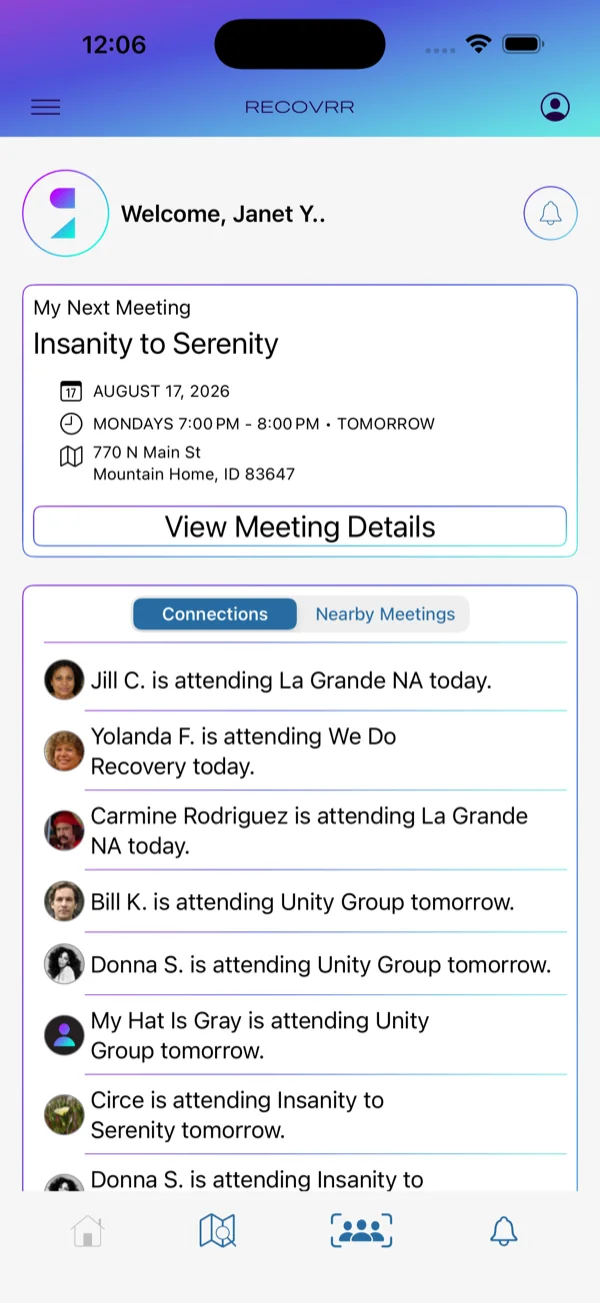
Home turns meeting information and member relationships into something immediately useful.
Connections
See where connections will be
When a connection plans to attend a meeting, that information can appear on Home. It is not shared with the entire Recovrr community.
Nearby Meetings
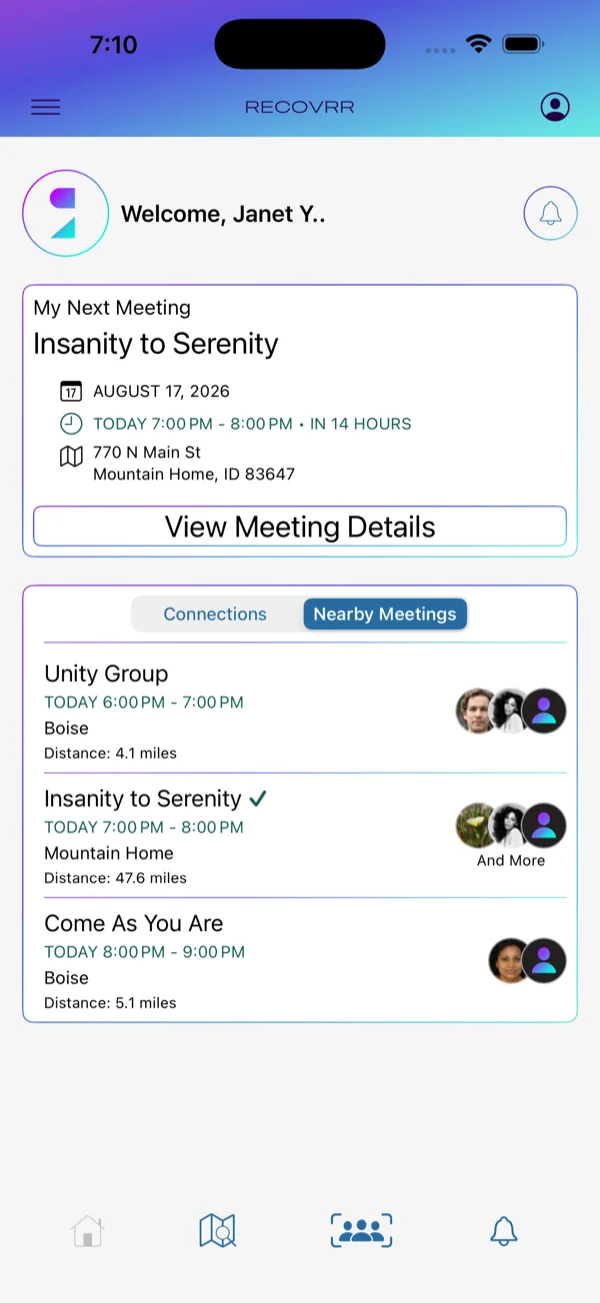
Or start with what is nearby
Home can instead show a time-ordered sample of nearby meetings. The search area adjusts to meeting density. This is a quick view rather than a complete regional directory.
03 · Meetings
Find meetings anywhere
Recovrr uses worldwide BMLT data to find in-person and hybrid NA meetings.
Map
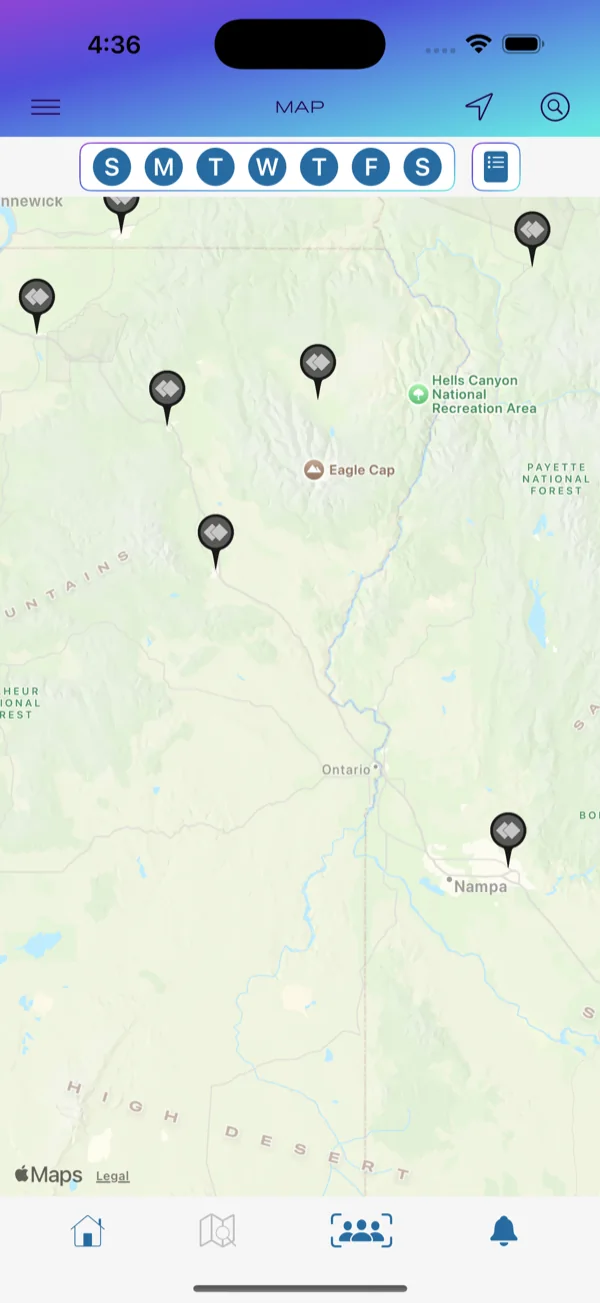
Start where you are
The Map supports pan and zoom, weekday filtering, List view, and destination search. It can also show nearby Recovrr members who choose location-based discovery.
Meeting Details
Open Meeting Details
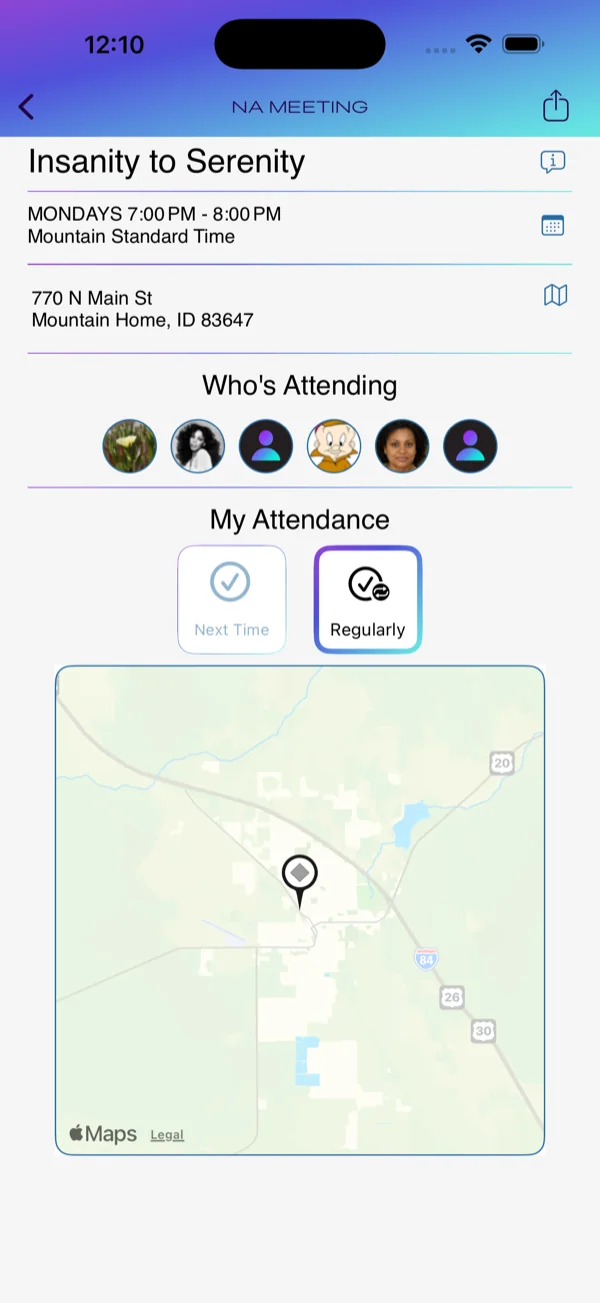
Meeting Details presents the available schedule, address, formats, map and directions, and virtual connection information when applicable.
Members can also record meeting attendance and share it with connections.
Where the data comes from. Meeting information originates in BMLT sources maintained by independent NA service bodies. Recovrr presents those records but does not control them.
Virtual meetings
Finding virtual meetings
For virtual meetings, the companion We Are Never Alone (WANA) app provides worldwide search.
WANA is for finding and joining virtual meetings. Recovrr focuses on in-person and hybrid meetings and member connections.
From WANA, Open in Recovrr opens that meeting directly in Recovrr’s Meeting Details.
You can record plans to attend. Connections can then see that attendance and open the virtual Meeting Details.
Meeting Details can also export a PDF or share a link to the meeting.
04 · Connections
Finding and connecting with members
Members can find one another, but a connection is created only after one member requests it and the other accepts.
Network
Connections require approval
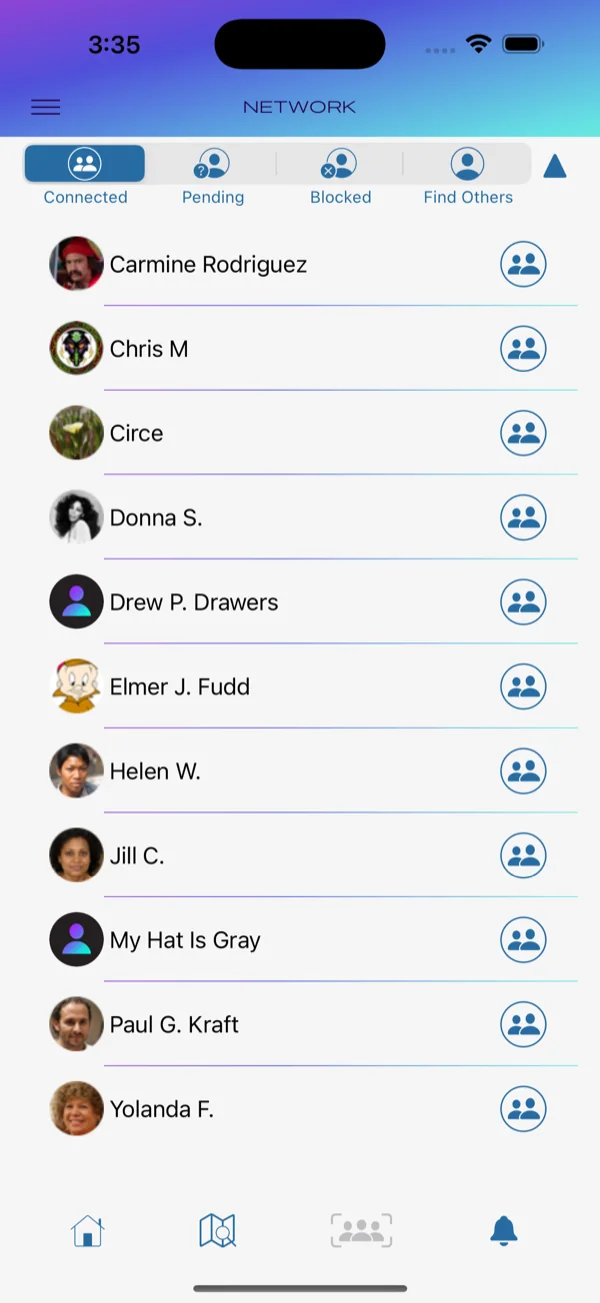
Network shows Connections, pending requests, blocked members, Suggested members, and display-name Search. On supported devices, In Person also helps you find members who are close by.
Some information is available only between connections.
In Person
Find the member standing nearby
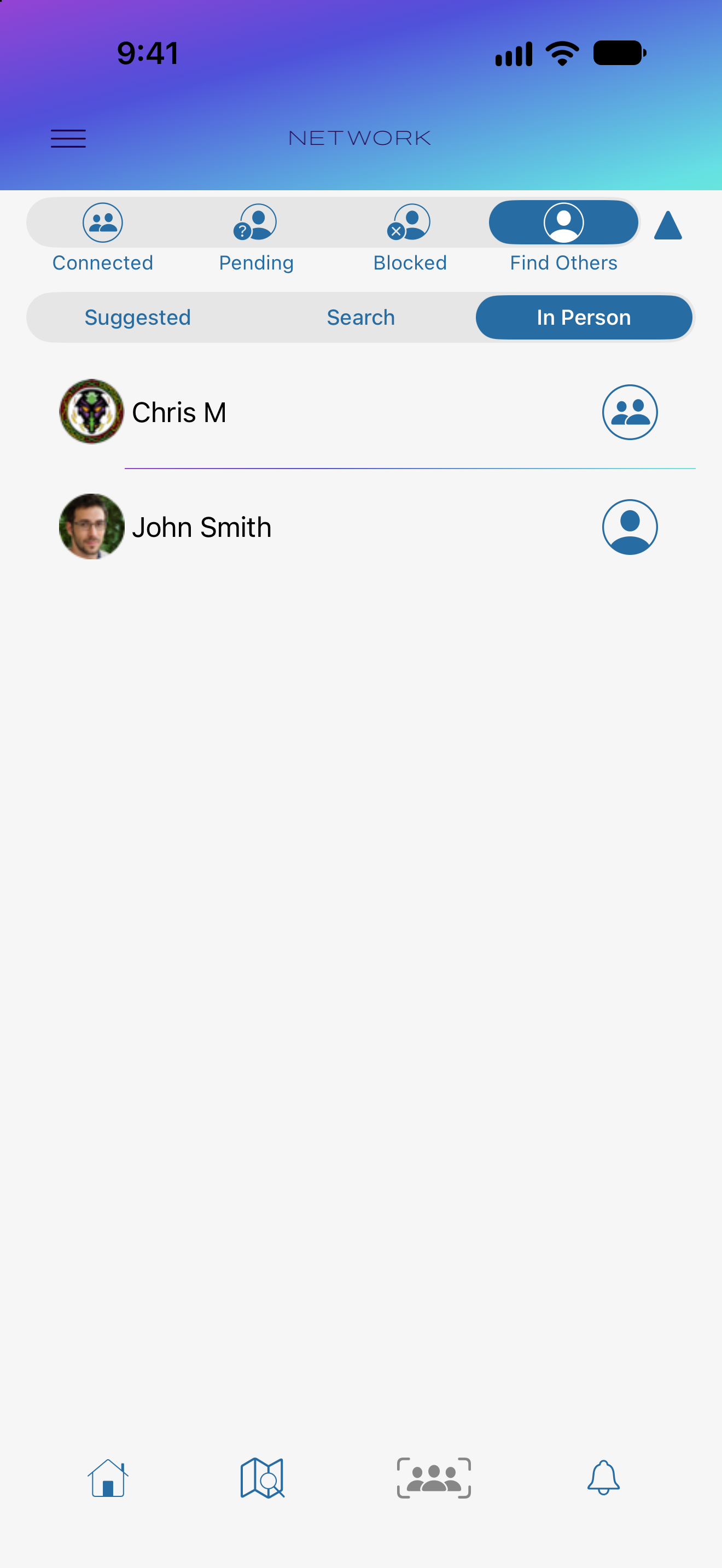
Meeting another Recovrr member? Open Network → Find Others → In Person. On supported devices, Nearby Discovery can find members within about 5 meters (16 feet) who have chosen to be discoverable. Both people should have Recovrr running.
The list shows each member’s current relationship with you. Members you are already connected with can appear too. Choose a member to open their Profile and see an approximate nearby distance.
Discoverability is your choice. It starts Off. You can look for others while your own discoverability is Off. Nearby detection happens directly between devices; viewing Profiles and making Connections still need internet access.
Nearby connection requests
Recognize who wants to connect
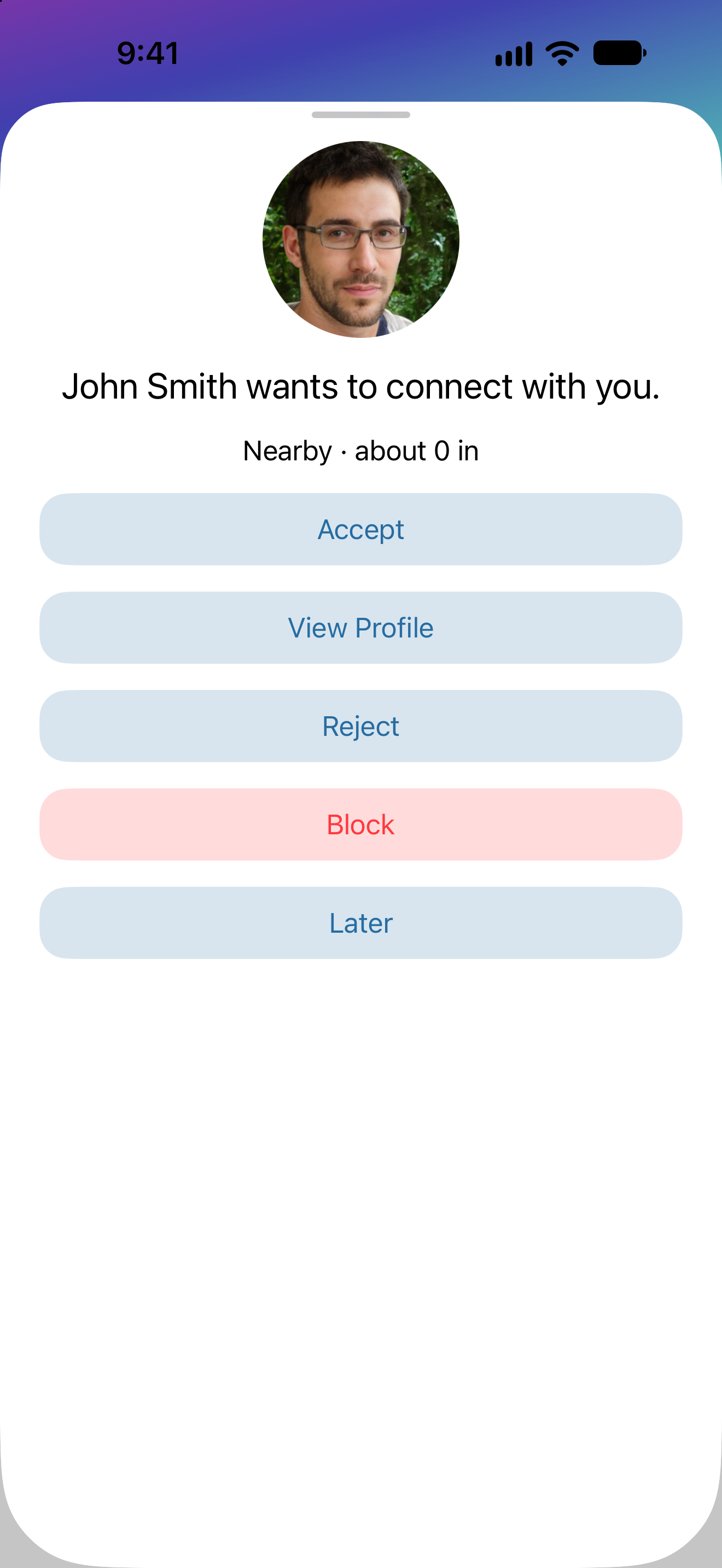
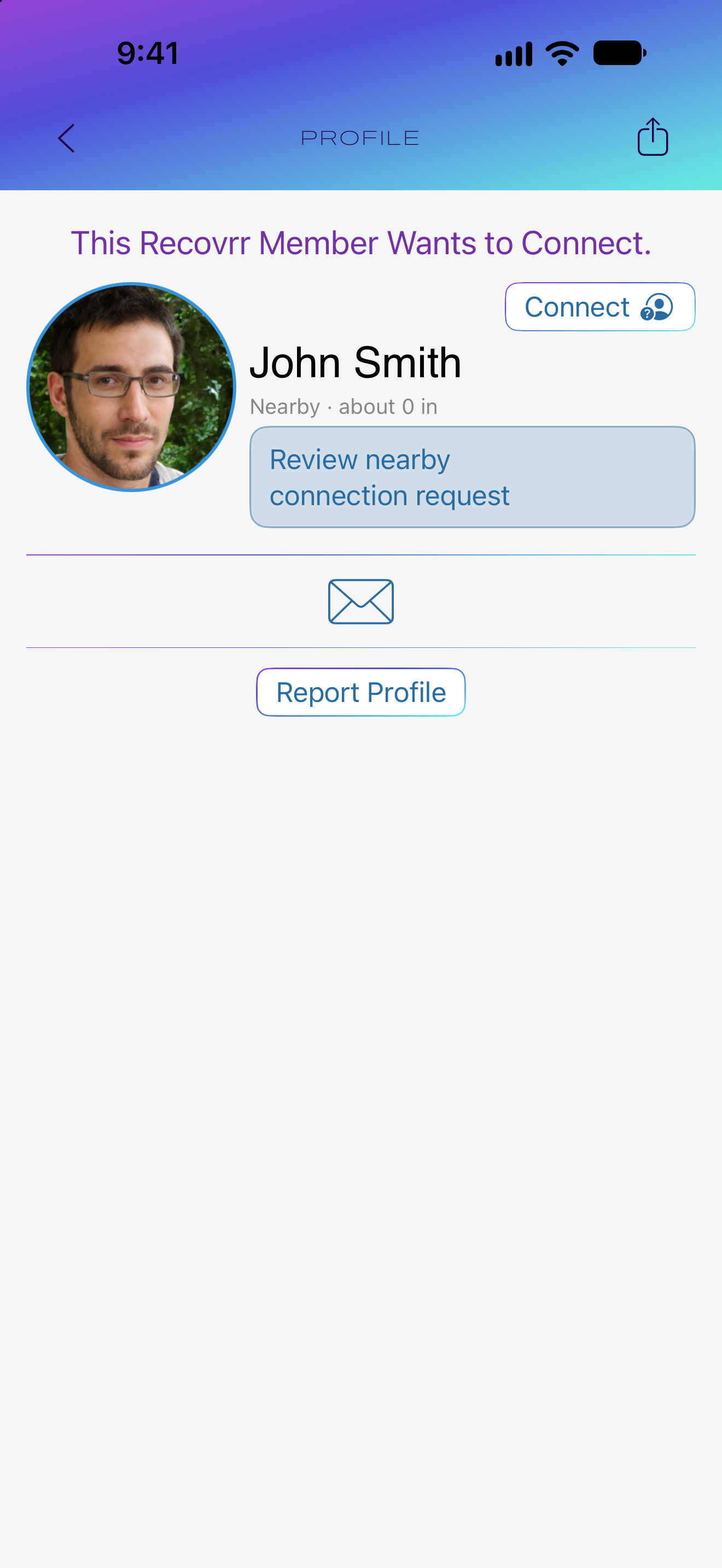
Send a connection request from a nearby member’s Profile. They receive an in-app request with your display name, avatar and clean date if supplied, and nearby distance when available.
They can accept, view your Profile, reject the immediate invitation, block, or choose Later. A connection is created only when they accept.
Look before deciding
Return to an active request from the Profile
View Profile lets the recipient learn more while the nearby interaction remains active. The Review nearby connection request button returns to the response choices. The nearby distance is a separate information display.
Reject declines the immediate invitation but leaves the request in Pending on both devices. Later also leaves it pending. Blocking does not send a block notification. Accept, Reject, and Block each ask for confirmation.
For the full steps, see In Person in the App Instructions.
05 · Profiles
Profile information is optional
Profiles are limited and member-controlled.
Member Profile
Connections change what is available
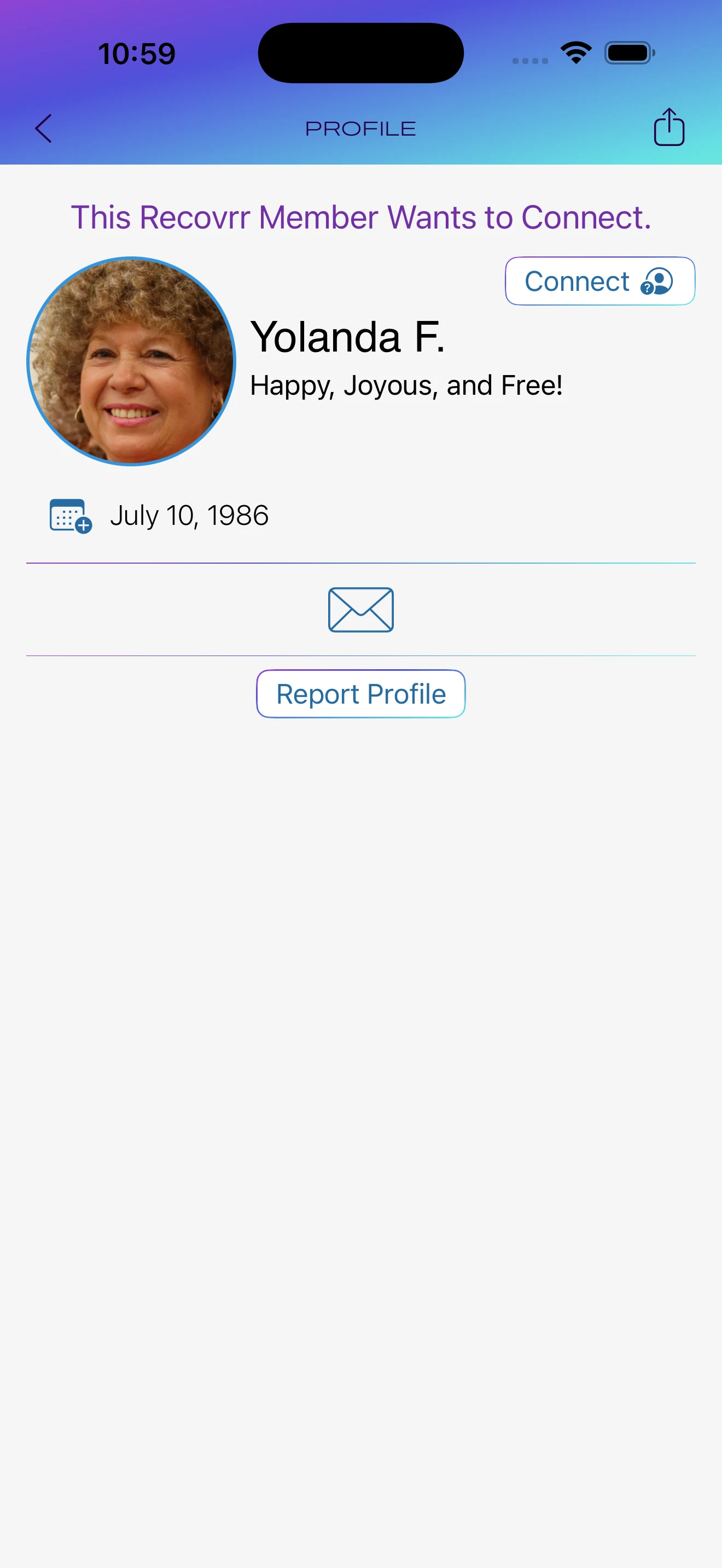
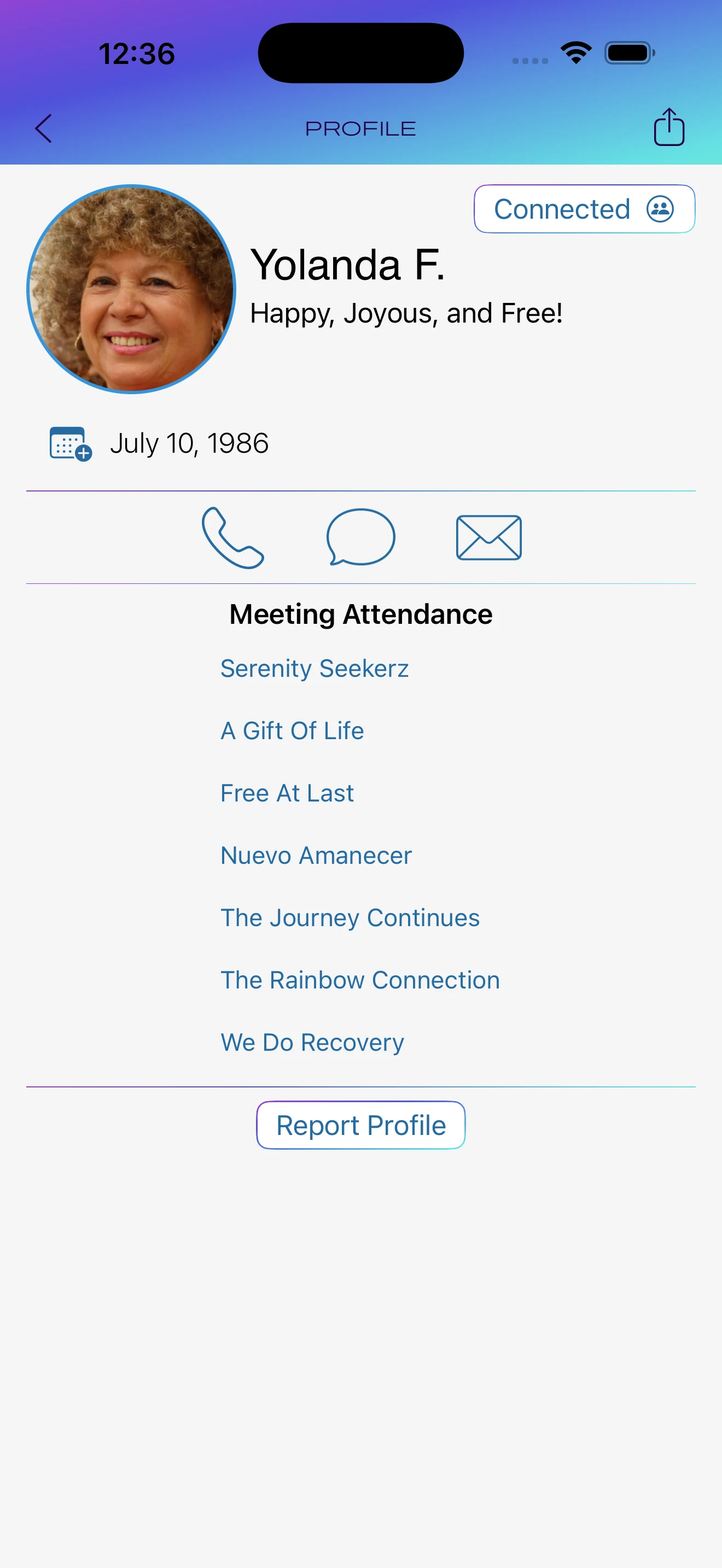
A member may provide a display name, avatar, tagline, clean date, and phone number. Account email addresses are never shown to other members.
These two screens show the same member. Before a full connection is established, connection-only information and controls are withheld. Once connected, chosen meeting attendance and phone or messaging controls may become available.
06 · Notifications
Connection and anniversary notifications
Notifications focus on member relationships.
Connection requests and anniversaries
Notifications about members
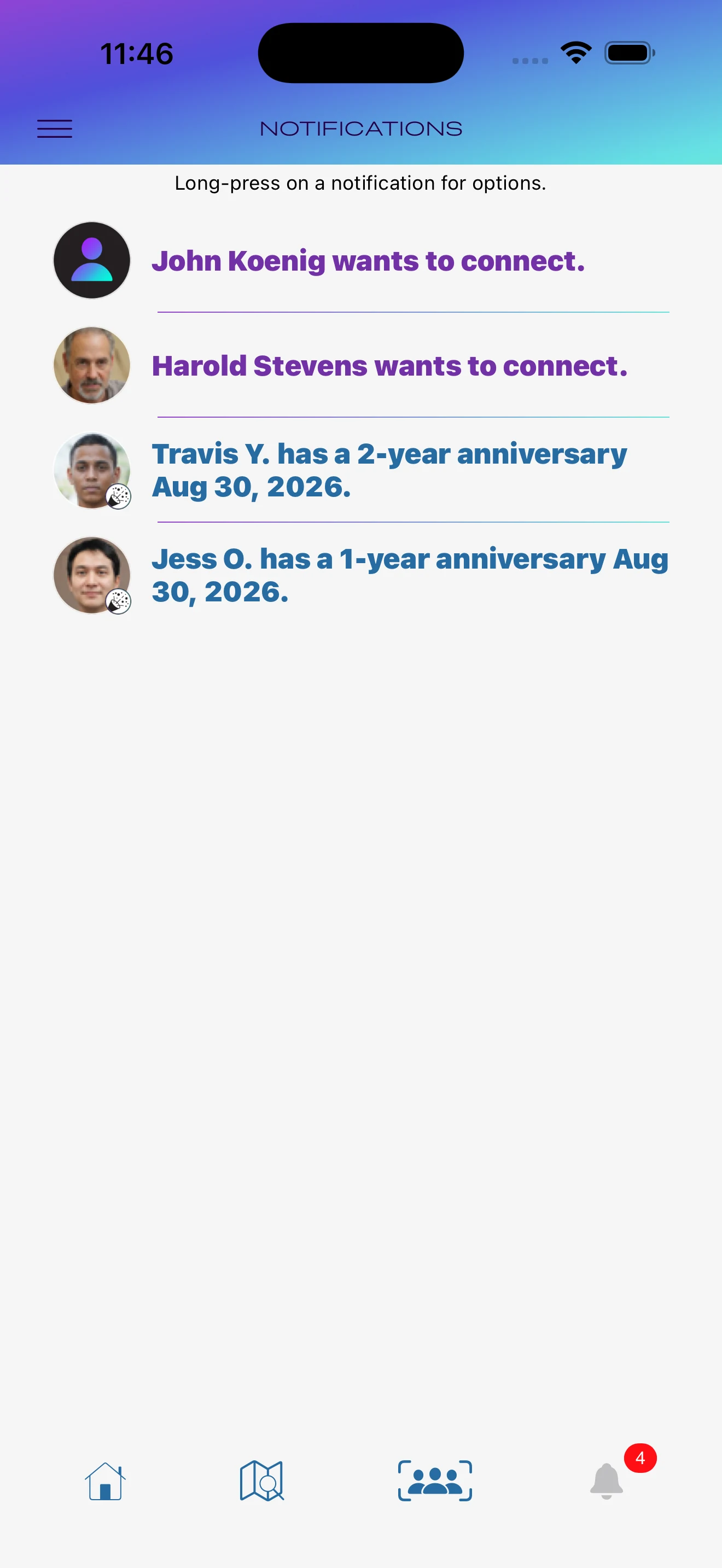
Notifications include connection requests and upcoming clean-date anniversaries. Tapping one can open the relevant Profile.
Unread items are visually distinct. Members can mark items read or unread, or ignore them.
Clean dates remain a member choice. Anniversary notifications appear only when a member has chosen to include a clean date.
07 · Privacy
Privacy controls
Recovrr separates information needed to operate the service from information shown to other members.
Location
Meeting search and member discovery are separate
Device location can be used to find meetings. Geographic member discovery is controlled separately by Hide My Location, which is on by default. Turning it off allows your Profile to appear in geographic member lists, including Suggested.
Geographic discovery uses a location randomized within approximately 5 kilometers. Recovrr does not display another member’s geographic coordinates or position on a map. Nearby Discovery is a separate option that can show the approximate distance between two devices.
Blocking is mutual, email addresses remain private, Profile information is member-controlled, and accounts can be deleted in the app.
Nearby Discovery
Choose when people nearby can find you
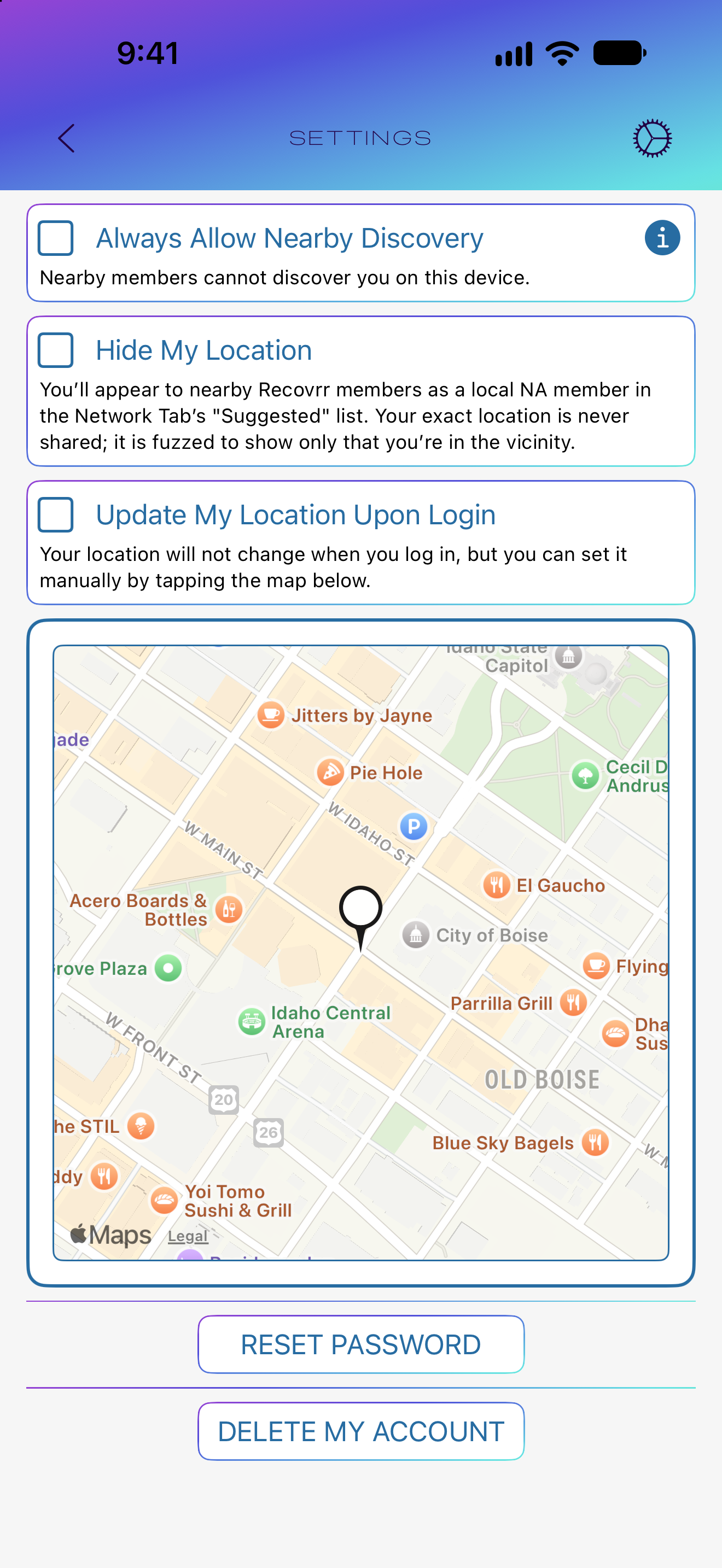
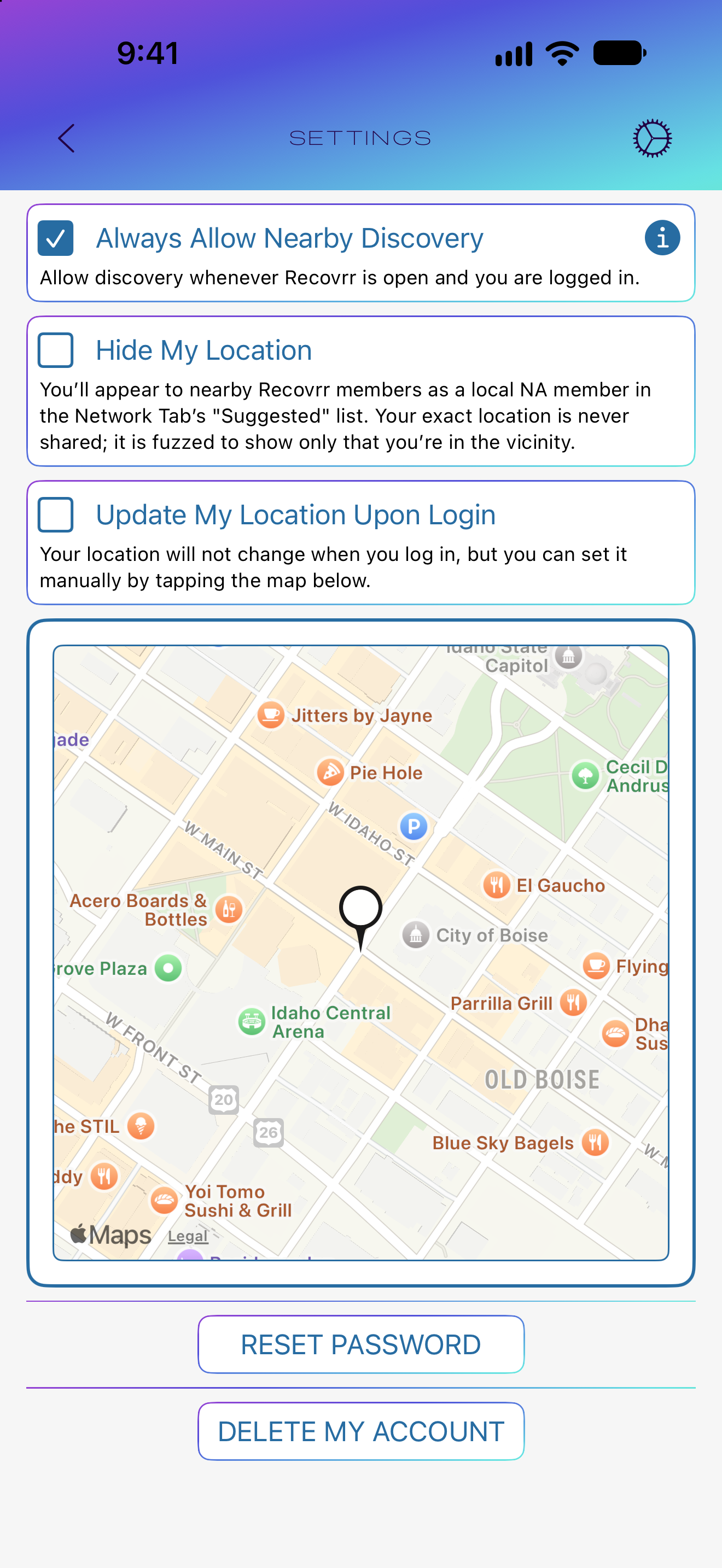
In Settings, Always Allow Nearby Discovery makes you discoverable while Recovrr is open. Turn the checkbox off to stop.
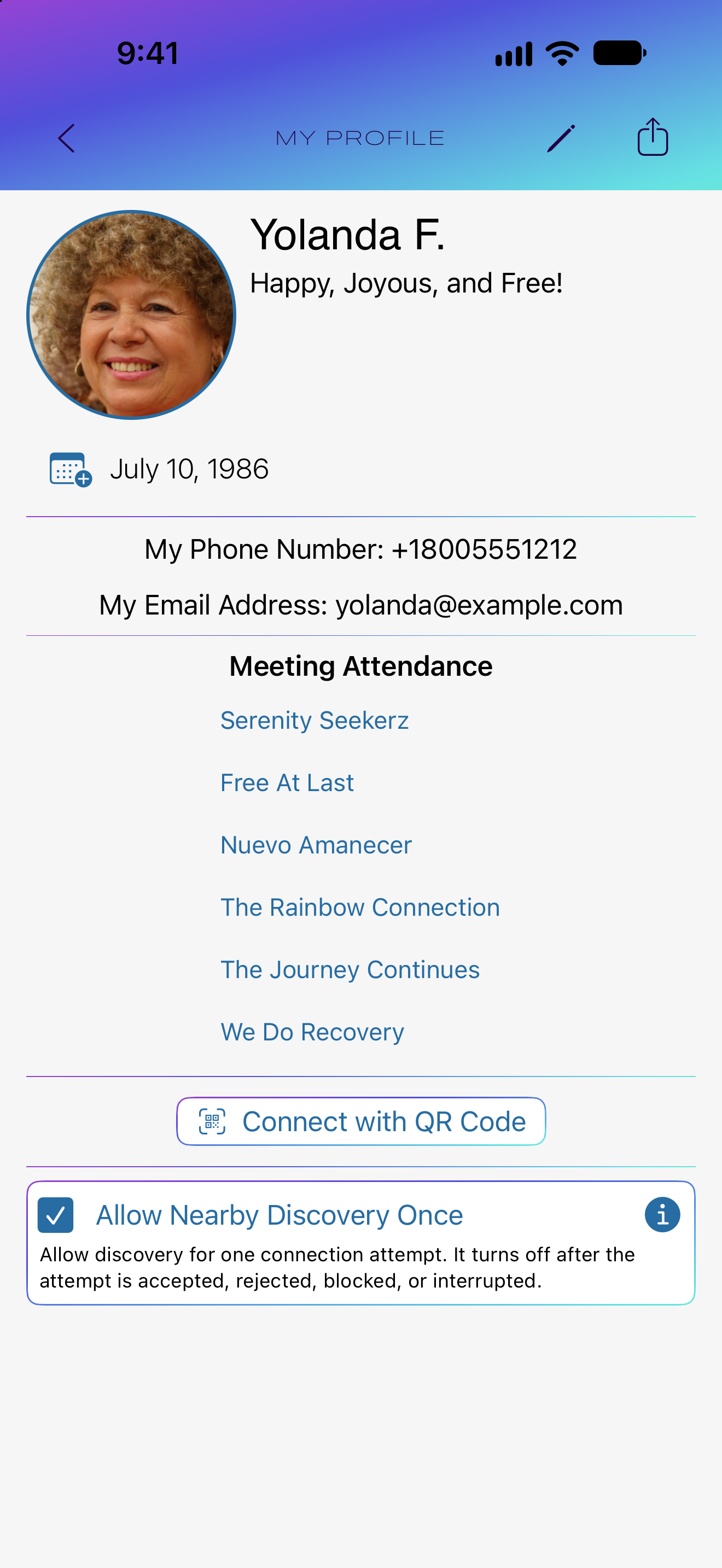
For one connection interaction, use Allow Nearby Discovery Once at the bottom of My Profile. It turns off when that interaction ends, including after acceptance, rejection, blocking, Later, or interruption. This checkbox is hidden while Always is enabled.
Tap the information button beside either checkbox to read the Nearby Discovery explanation. These controls appear only on supported devices, and they are independent of Hide My Location.
Why enable discovery?
Be available as a local resource
NA is built on members helping one another. When you enable location-based discovery, other signed-in Recovrr members in your area can find your Profile and request a connection.
That can make you a local resource for someone looking for a meeting, trying to connect with the local fellowship, or simply seeking another member nearby.
You remain in control. Geographic discovery and Nearby Discovery are optional, separate choices. You can turn either off, and connecting still requires approval.
08 · The big picture
Meetings and connections work together
Recovrr is designed around the point where those two things meet.
What Recovrr is for
Recovrr is intended to help NA members find meetings and connect privately with other members.
The Map helps find meetings. Profiles let members identify themselves on their own terms. Connections establish mutual relationships, and meeting attendance can be shared with those connections.
For details, see the Recovrr App Instructions and Recovrr App Privacy Policy.